Dvergr

 Automated UI Testing Tool for Embedded Touch Displays
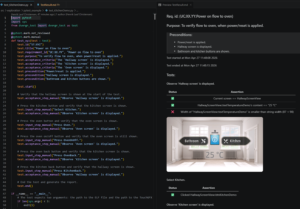
Dvergr is an automated UI testing tool for embedded systems, designed to eliminate the limitations of manual testing on graphical user interfaces (GUIs). It enables deep, deterministic, and repeatable UI validation by directly interacting with the target device’s memory and graphics subsystem—without modifying the firmware or hardware.
Developed by Mjølner Informatics, Dvergr is purpose-built for systems using embedded graphics frameworks such as TouchGFX and is especially suited for regulated or high‑reliability products.
What Problem Does Dvergr Solve?
UI testing in embedded devices is traditionally manual, slow, and fragile. Dvergr addresses the following key pain points:
1. Manual Testing is Slow
Each test cycle requires extensive hands-on interaction, significantly delaying releases and slowing innovation.
2. Repetitive Tests Are Error-Prone
Human interaction in repetitive test steps introduces inconsistencies and mistakes that compromise test reliability.
3. Test Cases Are Hard to Maintain
Frequent UI changes cause manual test scripts and documentation to become outdated, increasing long-term maintenance cost.
See the pdf report from the video: here
What Makes Dvergr Different?
Unlike camera-based or input-emulation solutions, Dvergr works inside the system—observing and interacting with the UI exactly as the device itself sees it.
Key Capabilities
- Direct memory access on the target device
- Reads internal application state without modifying firmware
- Can work through SWD-based communication
- Uses existing SWD pins (already required for flashing)
- No hardware changes or additional test pins required
- Live framebuffer readout
- Extracts display contents in real time
- Enables pixel-perfect comparison on a host PC
- Event injection
- Injects touch and button events into existing event queues
- Interacts naturally with the application logic
System Architecture

On the Target Device
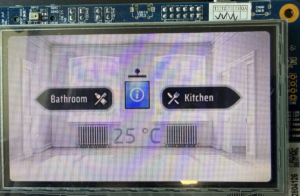
- No firmware modifications required
- No additional test software running on the device
- Normal application behavior preserved – we test what we ship
On the Host PC (Dvergr Tool)
The PC-based tool has semantic knowledge of the application, including:
- Screen layouts and UI structure
- Which TouchGFX screen is currently shown on the display
- What content is expected vs. what is rendered
- How to safely interact with current UI elements
- Integrates seamlessly into existing testing infrastructure
This allows Dvergr to operate at a logical UI level, not just raw pixels.
What Can Dvergr Test?
Beyond standard UI automation, Dvergr enables tests that are otherwise impractical or impossible to test manually:
- Detect subtle text or element clipping
- Verify screen content across translations
- Detect if the placeholder character is displayed due to a missing glyph
- Verify internal application state against what is shown in the UI
- Validate non-UI system state correlated with UI changes
- Perform deterministic regression tests across UI versions
- Probe application behavior unreachable through user interaction alone
Example Use Cases
- Automated regression testing of embedded GUIs
- Quality assurance for medical or regulated devices
- Long-term UI stability testing during continuous delivery
- Verifying rendering correctness without camera systems
- Reducing validation time before product releases
Collaboration Model
Dvergr is delivered as a collaborative solution, ensuring it fits seamlessly into real embedded environments.
- Pilot project to validate value on your hardware and UI
- Integration support for your development and test workflows
- Ongoing collaboration to evolve features based on real needs
This approach ensures Dvergr works effectively from day one – and continues to scale with your product.